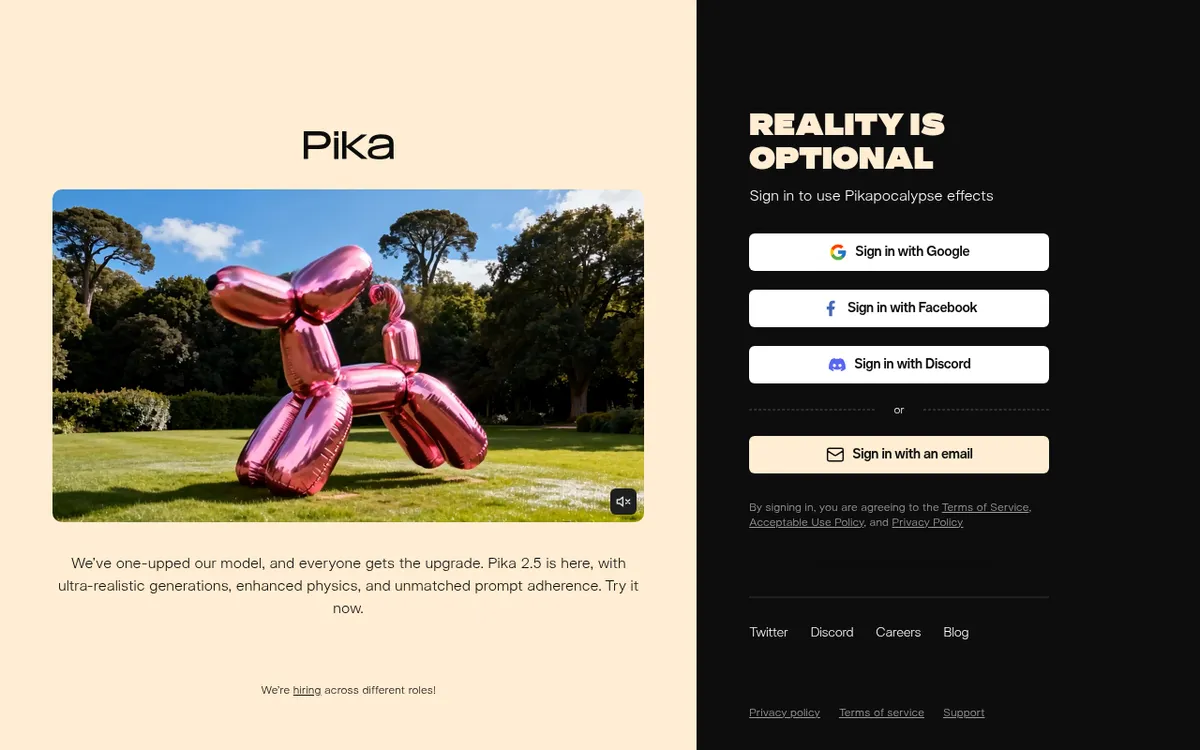
Pika Art Review 2025: The AI Video Generator Making Creativity Accessible to Everyone
The AI video generation revolution has arrived, and you don't need a Hollywood budget to participate. Pika Art has emerged as the "Canva of AI video"—an intuitive, accessible platform that transforms text prompts, images, and existing footage into stunning video content in seconds. With over 500,000 users generating millions of videos weekly, a $470-700 million valuation, and features like Pikaffects, Pikaswaps, and Pikaframes that let anyone create viral-worthy content, Pika has positioned itself as the go-to tool for creators who want results without complexity.
Pika isn't trying to compete with Runway's cinematic depth or Sora's photorealism—it's carving out its own niche as the fastest, most fun, and most approachable AI video generator on the market. Whether you're creating TikTok content, animating product shots, or experimenting with surreal visual effects, Pika's latest 2.5 model delivers crisp, energetic micro-movements perfect for short-form social content. If you've ever wanted to insert yourself into a famous painting, make objects explode, or swap elements in your videos with AI precision, Pika makes it not just possible, but genuinely enjoyable.
What is Pika Art?
Pika Art (pika.art) is an AI-powered video generation platform developed by Pika Labs, enabling users to create and edit videos from text descriptions, still images, and existing video footage. Founded in April 2023 by Demi Guo and Chenlin Meng—former Stanford AI PhD students who dropped out to democratize video creation—Pika has rapidly evolved from a Discord bot experiment to a full-fledged web and mobile platform valued at $470-700 million.
The company's origin story reflects its mission: Guo and Meng experienced firsthand how difficult and expensive professional video production could be. They built Pika to give everyone—from home users to film professionals—the tools to bring high-quality video to life. As Guo stated, "Our vision is to enable anyone to be the director of their stories and to bring out the creator in all of us."
Pika Labs has raised $135 million across multiple funding rounds, with investors including Spark Capital, Lightspeed Venture Partners, Greycroft, and notable individuals like Nat Friedman (former GitHub CEO), Adam D'Angelo (Quora founder), Andrej Karpathy (former Tesla AI director), and even actor Jared Leto. This diverse backing reflects confidence in Pika's approach to making AI video generation accessible rather than exclusive.
The platform operates on a freemium model with four subscription tiers, offering everything from free exploration credits to enterprise-level generation capacity. Unlike competitors focused primarily on cinematic quality, Pika emphasizes speed, fun, and creative experimentation—making it particularly popular for social media content, marketing materials, and rapid prototyping.
Key Features
| Feature | Description | Benefit |
|---|
| Pika 2.5 | Latest AI video engine with enhanced motion and consistency | Sharper motion, better camera control, improved style adherence |
| Pikaframes | Keyframe transition system (1-25 seconds) | Smooth cinematic animations with precise control |
| Pikaffects | Creative effects (Inflate, Melt, Explode, Transform) | Viral-worthy visual effects with one click |
| Pikadditions | Insert objects, people, animals into videos | Add surprising elements while preserving original footage |
| Pikaswaps | AI-powered video inpainting | Replace any element in videos using text or images |
| Pikatwists | Dynamic motion effects | Add personality with animated "twists" to characters |
| Pikascenes | Scene Ingredients system | Combine backgrounds, characters, objects freely |
| Lip Sync | Audio-driven mouth animation | Sync character speech to audio tracks |
| Text-to-Video | Generate from text prompts | Create videos from scratch with descriptions |
| Image-to-Video | Animate still images | Bring photos, art, and designs to life |
| Video-to-Video | Transform existing footage | Modify style, elements, or effects on real video |
| iOS App | Mobile video creation | Create AI videos anywhere on iPhone |
| API Access | Developer integration | Build Pika into custom applications |
How Pika Art Works
Pika Art operates through an intuitive workflow that prioritizes accessibility over complexity:
Text-to-Video Generation: Describe your scene—"a girl floating in a futuristic forest at night"—and Pika generates a video from nothing. You can specify camera directions, motion styles, visual effects, and artistic aesthetics within your prompt.
Image-to-Video Animation: Upload any image—your art, a Midjourney generation, a photograph—and Pika animates it using AI motion tools. Pikaframes lets you define start and end frames for precise control over the animation trajectory.
Video-to-Video Transformation: Modify real footage by replacing objects, changing styles, or adding effects. This is where Pikadditions and Pikaswaps shine—insert a dragon into your home video or replace a car with a spaceship while preserving the original motion and lighting.
Pikaffects Magic: Apply surreal effects to images or videos with a single click. Transform yourself into a cartoon princess, add VHS-era aesthetics, make objects inflate or explode, or apply one of 27+ creative transformation styles.
Scene Ingredients (Pikascenes): Upload multiple elements—a background, a character, an object—and Pika combines them into a coherent video scene. This gives unprecedented control over composition without requiring traditional editing skills.
Model Selection: Pika offers multiple model tiers:
- Turbo: Fastest generation (under 30 seconds), lower credit cost, 720p
- Pro: Higher quality, better detail, 1080p resolution
- Pika 2.5: Latest engine with best motion quality and consistency
- Pika 2.2: Optimized for Pikascenes and longer generations
Pricing & Plans
| Plan | Monthly | Annual (per month) | Credits | Key Features |
|---|
| Free | $0 | — | 80 (monthly) | Pika 2.5 (480p), Pikadditions/Pikaswaps (Turbo), Image-to-Video Pikaffects, watermark-free downloads |
| Standard | $10 | $8 | 700/month | All models (2.5, 2.2, Turbo, Pro), all Pikaffects, fast generation, commercial use |
| Pro | $35 | $28 | 2,300/month | Faster generation, all features, priority processing |
| Fancy | $119 | $76 | 6,000/month | Fastest generation, maximum credits, all features |
| Feature | Turbo (720p) | Pro (1080p) |
|---|
| Pikadditions/Pikaswaps (5s) | 10 credits | 20 credits |
| Pikascenes (5s) | 15 credits | 35 credits |
| Pikascenes (10s) | 30 credits | 100 credits |
| Pikatwists (5s) | 60 credits | 80 credits |
| Text/Image-to-Video (5s, 480p) | 12 credits | — |
| Text/Image-to-Video (5s, 720p) | 20 credits | — |
| Text/Image-to-Video (5s, 1080p) | — | 40 credits |
| Pikaframes (5s, 480p) | 12 credits | — |
| Pikaframes (25s, 1080p) | — | 200 credits |
| Pikaffects Image-to-Video (5s) | 15 credits | — |
| Pikaffects Video-to-Video (5s) | — | 18 credits (Paid only) |
- Credits roll over with purchases
- Commercial use included on all plans
- Watermark-free downloads on all plans
- Annual billing saves approximately 20%
- iOS app offers weekly subscription options ($8.99-$48/week)
Pros and Cons
Pros ✓
- Incredibly easy to use—15-minute learning curve vs hours for professional tools
- Blazing fast generation—Turbo model averages 12 seconds for 3-second clips
- Best value in AI video—generous free tier and affordable paid plans
- Pikaffects viral potential—one-click effects that drive social engagement
- Active community—vibrant Discord with prompt sharing and experimentation
- Constant innovation—new features and effects released regularly
- Mobile app available—create AI videos on iPhone anywhere
- Commercial rights included—use generated content for business
- No watermarks—clean exports on all plans including free
- Fun and experimental—designed for creativity over perfection
- Scene Ingredients system—unprecedented compositional control
- Lip sync capability—synchronize speech to characters
- Video-to-video editing—transform real footage with AI
- API access—integrate Pika into custom applications
Cons ✗
- Lower visual quality than Runway/Sora—optimized for speed over cinema
- Short video lengths—best for clips under 10 seconds
- Inconsistent results—may require multiple generations for optimal output
- Limited fine control—less precision than professional tools
- Credit consumption varies—Pro model features use credits quickly
- No native audio generation—unlike some competitors
- 480p limit on free tier—low resolution for professional use
- Complex physics still challenging—realistic motion has limits
- iOS only—no Android app currently
- Learning prompt craft—optimal results require experimentation
- Credits expire monthly—unused credits don't accumulate indefinitely
Who Should Use Pika Art?
Social Media Creators and Influencers find Pika invaluable for producing engaging TikToks, Reels, and YouTube Shorts. The platform's speed and Pikaffects library enable rapid content creation that drives engagement. Features like Pikaswaps and Pikadditions create the surprising, shareable moments that go viral.
Marketing and Advertising Teams use Pika for quick product teasers, motion graphics, and campaign assets. The ability to generate multiple variations rapidly makes it ideal for A/B testing creative concepts. Social-first format presets export caption-ready clips that save production time.
Content Creators and YouTubers leverage Pika for B-roll, transitions, and visual effects that would otherwise require expensive production. Animating thumbnails, creating intro sequences, or adding dynamic elements to existing footage becomes trivial.
Educators and Trainers produce engaging visual content for courses, presentations, and explainer videos. Pika's accessibility means non-technical instructors can create professional-looking materials without design expertise.
Artists and Designers animate their static work—bringing illustrations, concept art, and design mockups to life. The image-to-video capabilities transform portfolio pieces into dynamic showcases.
Small Business Owners without video production budgets can create professional marketing materials, product demonstrations, and promotional content at a fraction of traditional costs.
Hobbyists and Experimenters enjoy Pika's playful approach to AI video. The free tier provides generous access for creative exploration without financial commitment.
Rapid Prototypers in film, advertising, and game development use Pika to visualize concepts quickly before committing to full production. The speed enables more iteration in less time.
Pika Art vs Alternatives
| Feature | Pika 2.5 | Runway Gen-4 | OpenAI Sora | Kling AI |
|---|
| Best For | Social content, speed | Cinematic quality | Photorealism | AI avatars, length |
| Generation Speed | Fastest (12s for 3s clip) | Moderate | Moderate | Fast |
| Video Quality | Good | Excellent | Excellent | Very Good |
| Max Length | 25 seconds | 10s (extendable) | 20 seconds | 2 minutes |
| Resolution | Up to 1080p | 720p + 4K upscale | 1080p | 1080p |
| Ease of Use | Easiest | Moderate | Moderate | Easy |
| Pricing | From $8/month | From $12/month | $20/month (Plus) | From $4/month |
| Free Tier | 80 credits/month | 125 one-time | Limited | 66 daily credits |
| Character Consistency | Good | Excellent | Good | Excellent |
| Creative Effects | Pikaffects (best) | Limited | Limited | Limited |
| Video Editing | Pikaswaps, Pikadditions | Aleph (comprehensive) | Limited | Basic |
| Lip Sync | Yes | Act-Two | Limited | Yes (strength) |
| Mobile App | iOS | iOS | No | Yes |
| API | Yes | Yes | Yes | Yes |
excels at speed, accessibility, creative effects, and value. Best for social media creators, rapid iteration, and anyone who prioritizes fun and experimentation over cinematic perfection.
Runway Gen-4 leads in cinematic quality, character consistency, and professional editing tools. Best for filmmakers, advertisers, and creators requiring Hollywood-level output.
OpenAI Sora offers exceptional photorealism and physics understanding. Best for premium content where visual fidelity is paramount and budget is less constrained.
Kling AI provides longer videos (up to 2 minutes), excellent AI avatars, and lip-sync capabilities. Best for talking-head content, social media at scale, and cost-conscious creators.
Tips for Getting Started
Start with the free tier to explore Pika's capabilities. The 80 monthly credits provide enough for experimentation without commitment. Upgrade when you hit limits.
Begin with Pikaffects for instant gratification. These one-click effects deliver impressive results immediately and help you understand Pika's creative potential.
Use reference images when possible. Image-to-video generation gives you more control than pure text prompts. Upload a Midjourney image or your own artwork as a starting point.
Write specific prompts. Instead of "a person walking," try "a woman in a red dress walking through a rainy Tokyo street at night, neon reflections, cinematic lighting, slow motion." Detail improves results.
Experiment with Pikaframes for longer, controlled animations. Defining start and end frames gives you director-level control over the motion trajectory.
Use Turbo model for iteration. Generate quick low-resolution tests to find the right prompt before committing Pro credits to high-quality output.
Combine features creatively. Use Pikadditions to insert elements, then apply Pikaffects for transformation—layer Pika's tools for unique results.
Join the Discord community. Thousands of creators share prompts, techniques, and inspiration. Learn from what's working for others.
Try Pikaswaps on real footage. The magic of replacing elements in your own videos—turning your cat into a lion, or your bicycle into a motorcycle—is where Pika truly shines.
Export at appropriate quality. Match resolution to your distribution platform. TikTok doesn't need 1080p; save Pro credits for content that demands it.
Final Verdict
Rating: 8.7/10
Pika Art has found its niche and owns it completely. While competitors chase cinematic perfection and photorealistic physics, Pika focuses on what most creators actually need: fast, fun, accessible video generation that delivers shareable results without a learning curve. It's the right tool for the social media age.
The platform's strength isn't raw quality—Runway and Sora win that competition. Pika's advantage is removing friction from the creative process. Features like Pikaffects, Pikaswaps, and Pikadditions turn complex visual effects into one-click operations. The Turbo model's 12-second generation time enables rapid experimentation that would be impractical with slower tools. And the pricing makes professional-looking content accessible to creators who couldn't otherwise afford it.
The limitations are real but intentional. Short video lengths, 480p on the free tier, and less precise control than professional tools are tradeoffs for accessibility and speed. If you're producing a feature film or high-end commercial, Runway is your tool. But if you're creating content for TikTok, Instagram, YouTube Shorts, or rapid prototyping, Pika delivers exceptional value.
The $470-700 million valuation and backing from top-tier investors validate Pika's approach. With 500,000+ users generating millions of videos weekly, the platform has proven product-market fit. Regular feature releases—Pika 2.5, new Pikaffects, enhanced Pikaframes—demonstrate continued innovation.
Recommendation: Pika Art is essential for social media creators, marketers, and anyone who values speed and accessibility over cinematic perfection. Start with the free tier to explore, upgrade to Standard ($8/month annual) when you need more credits and higher resolution, and consider Pro ($28/month annual) for heavy production. The Fancy tier suits agencies and power users requiring maximum throughput. For cinematic projects requiring the highest quality, pair Pika with Runway—prototype quickly in Pika, then produce hero shots in Gen-4.
Ready to bring your ideas to life in seconds? Get started with Pika Art today. Sign up for free, explore Pikaffects, and discover why half a million creators have made Pika their go-to AI video tool. Your next viral video is just a prompt away.